
Today you can ask an agent to change a title and add three cards to a site, and it does it. For years, that same request was a job. It was my job.
So if anyone can build a site with AI, why hire a developer?
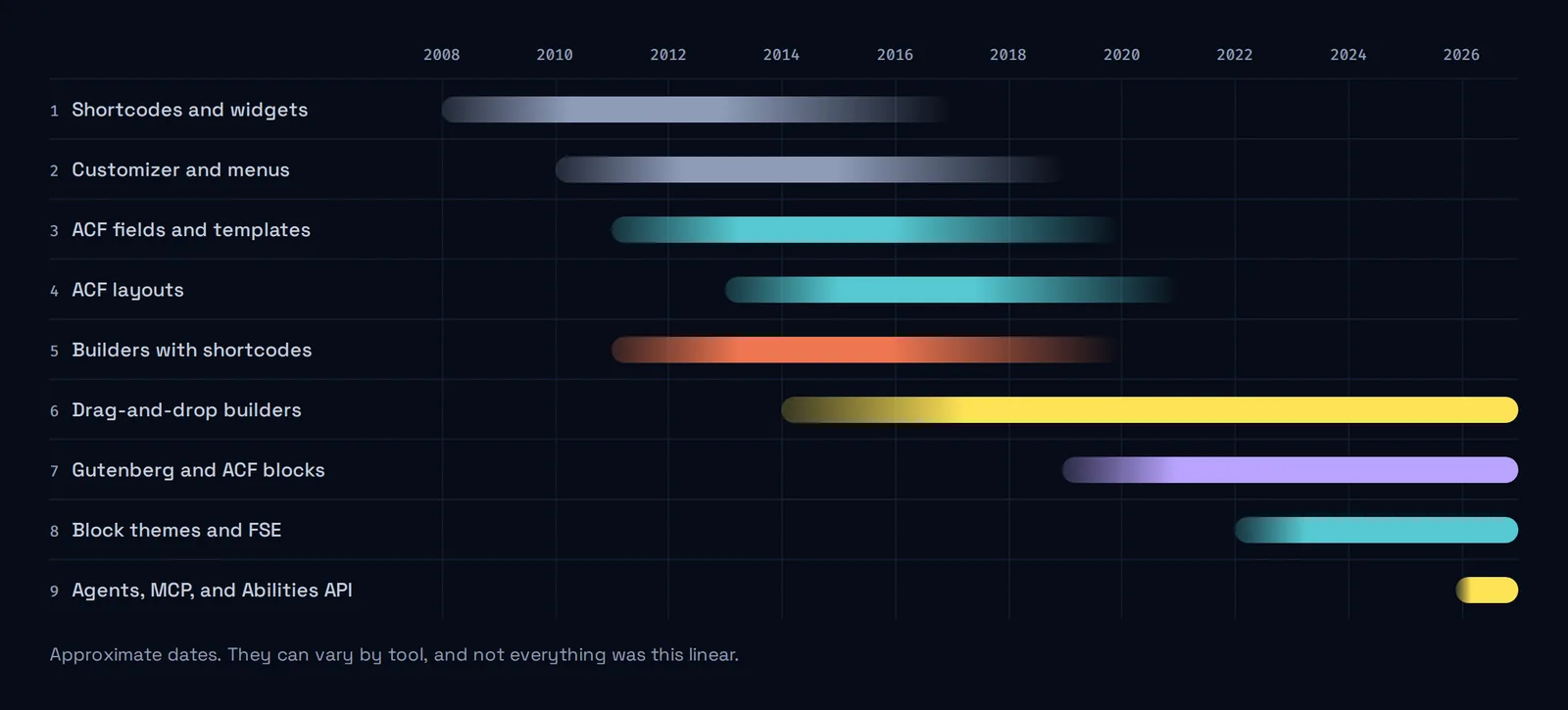
I’ve been building websites since 2005 and working with WordPress regularly since at least 2010. To answer that question, I’m going to do something a little obsessive: take that request (change a title and add three cards) and see how it got solved in each era. Spoiler: every change solved one problem and brought another. And every time, someone announced the end of an era.
If you don’t build websites for a living, you’ll still follow most of this. The rest is the shortcodes’ fault.
Act 1: you asked someone
Brackets everywhere
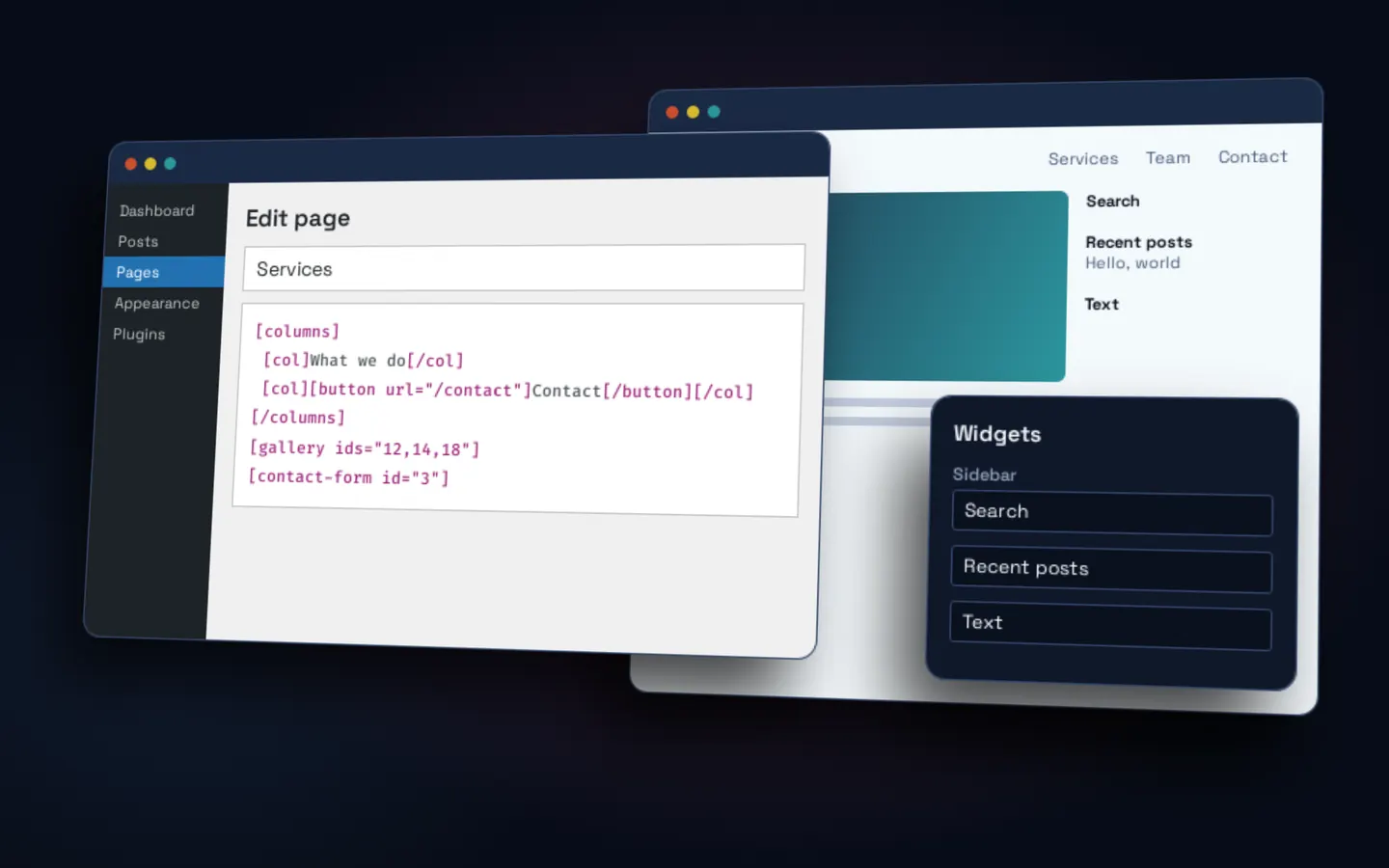
In March 2008, WordPress 2.5 (opens in a new tab) brought the shortcode API: “little bracket-delineated strings,” in its own words. You’d type something like [button url="/contact"] into the content, save, and only then see what happened. Sidebars were put together separately, with widgets.
It felt like magic until you took it out. According to the documentation itself (opens in a new tab), an unregistered shortcode is plain text with no special meaning. You’d switch themes, and the brackets would show up on your page for the whole world to see.
The three cards? If the theme came with a shortcode for that, you got lucky. If not, you wrote to someone like me.
For the first time, without calling anyone
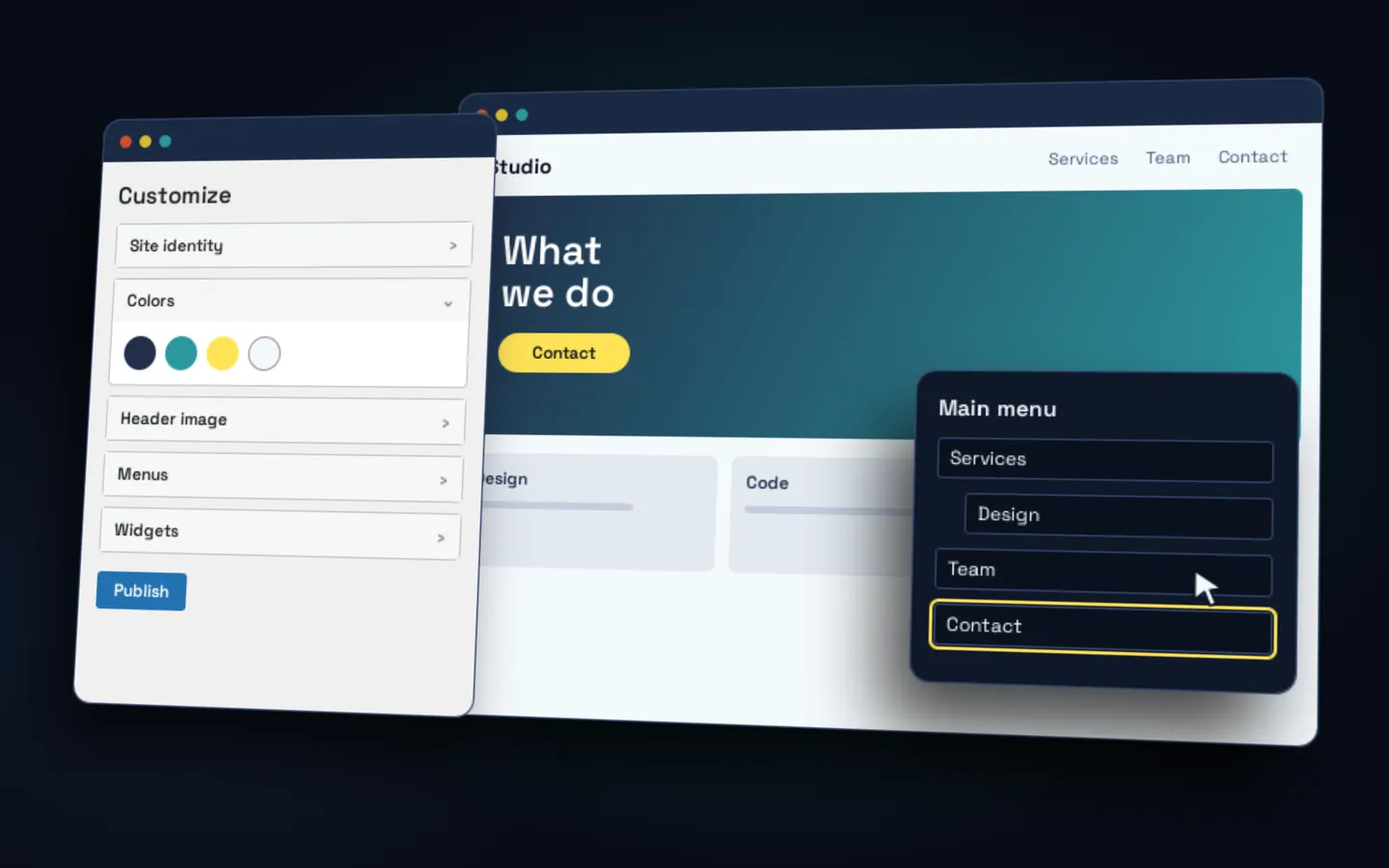
WordPress 3.0 (opens in a new tab) brought menus, and its announcement said so with relief: “no more file editing.” Two years later, WordPress 3.4 (opens in a new tab) introduced its biggest new feature, the customizer: seeing your changes before showing them to the world.
For anyone running a site, that was huge. But you were changing options, not structure. You could touch the title. The three cards were still another story. And if the theme didn’t give you the options, your hands were still tied.
A note on vertigo: ten years later, WordPress 5.9 (opens in a new tab) announced that the big news of 2012 was no longer needed with block themes. Word for word: “you no longer need the Customizer.”
Content splits from design
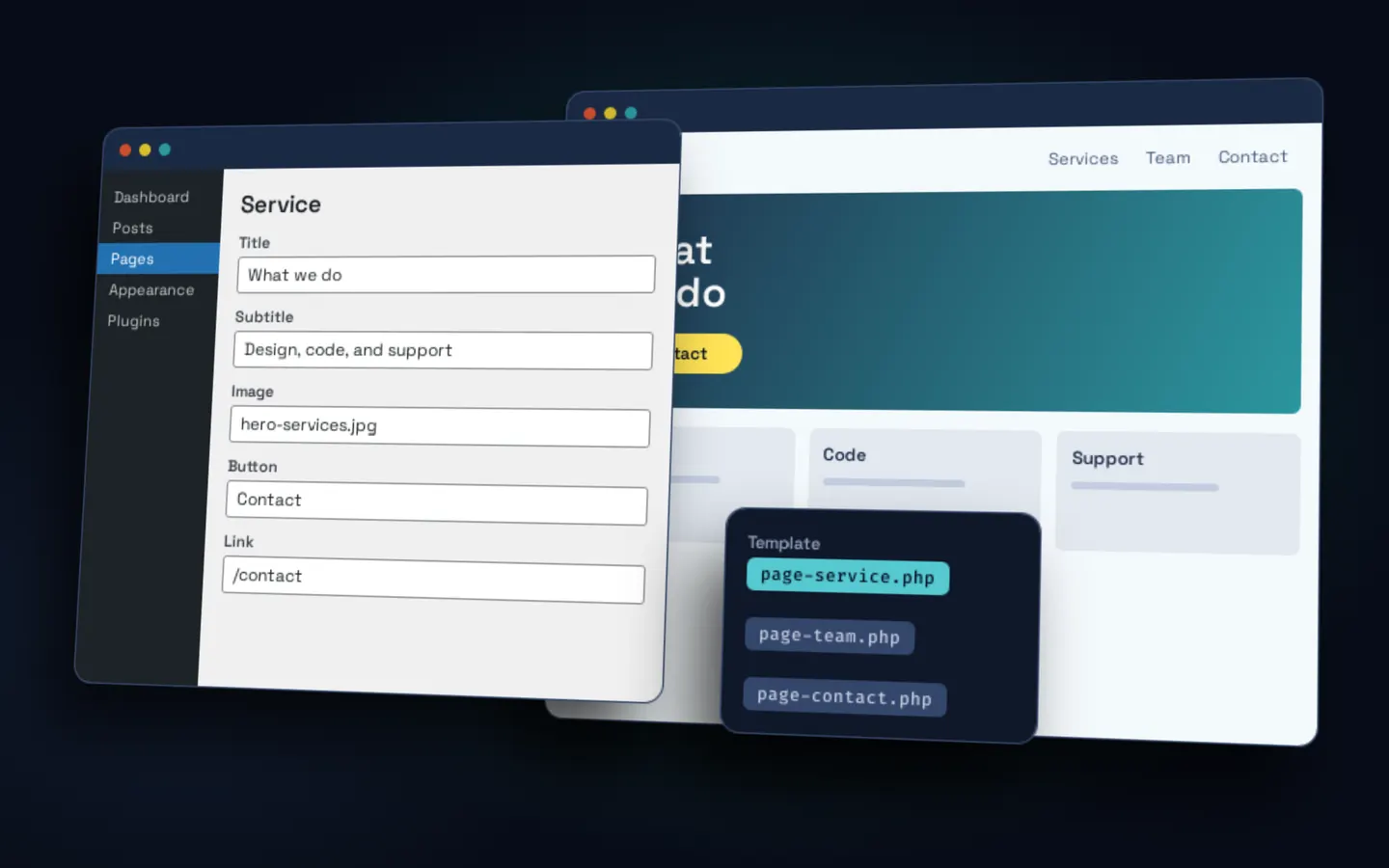
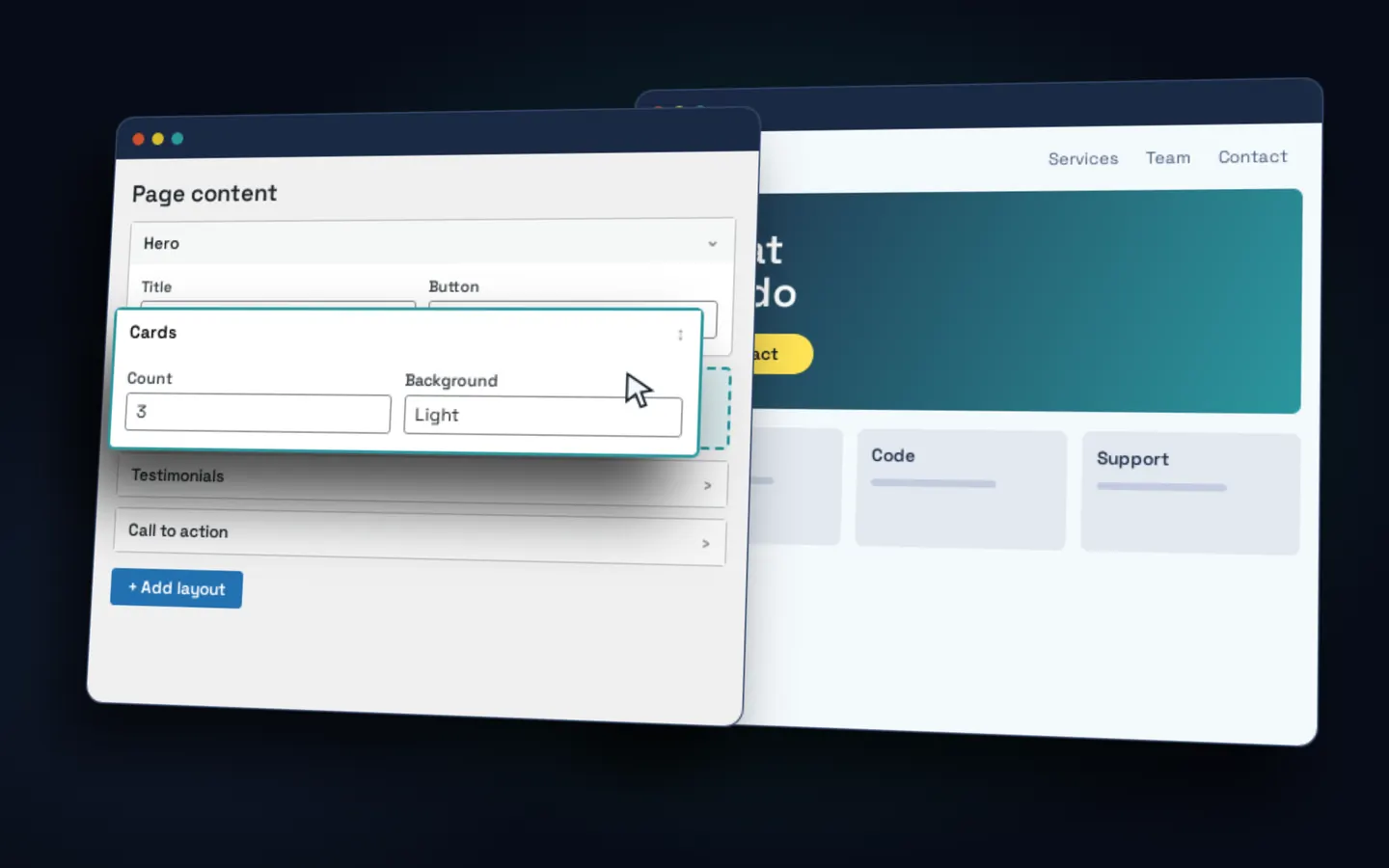
Starting in 2011, with Advanced Custom Fields (opens in a new tab), instead of one big text box, editors fill out a form: title, image, button. The theme decides how it looks.
First came fixed fields with specific templates: tidy, but every new variant took code. Then came layouts, blocks you stack and reorder. The three cards were now something anyone could add, even if you only saw the result after opening the page.
With that we built our base theme, which we were already using in 2017. And we discovered a law that would keep repeating itself: whatever best solves your problem today is what you’ll have to migrate tomorrow. When a site grew to thousands of courses, like Skillsoft, the problem became importing catalogs every month without things getting out of hand, and adapting the import so the theme showed what it had to show.
Act 2: you did it yourself
The first wave of builders
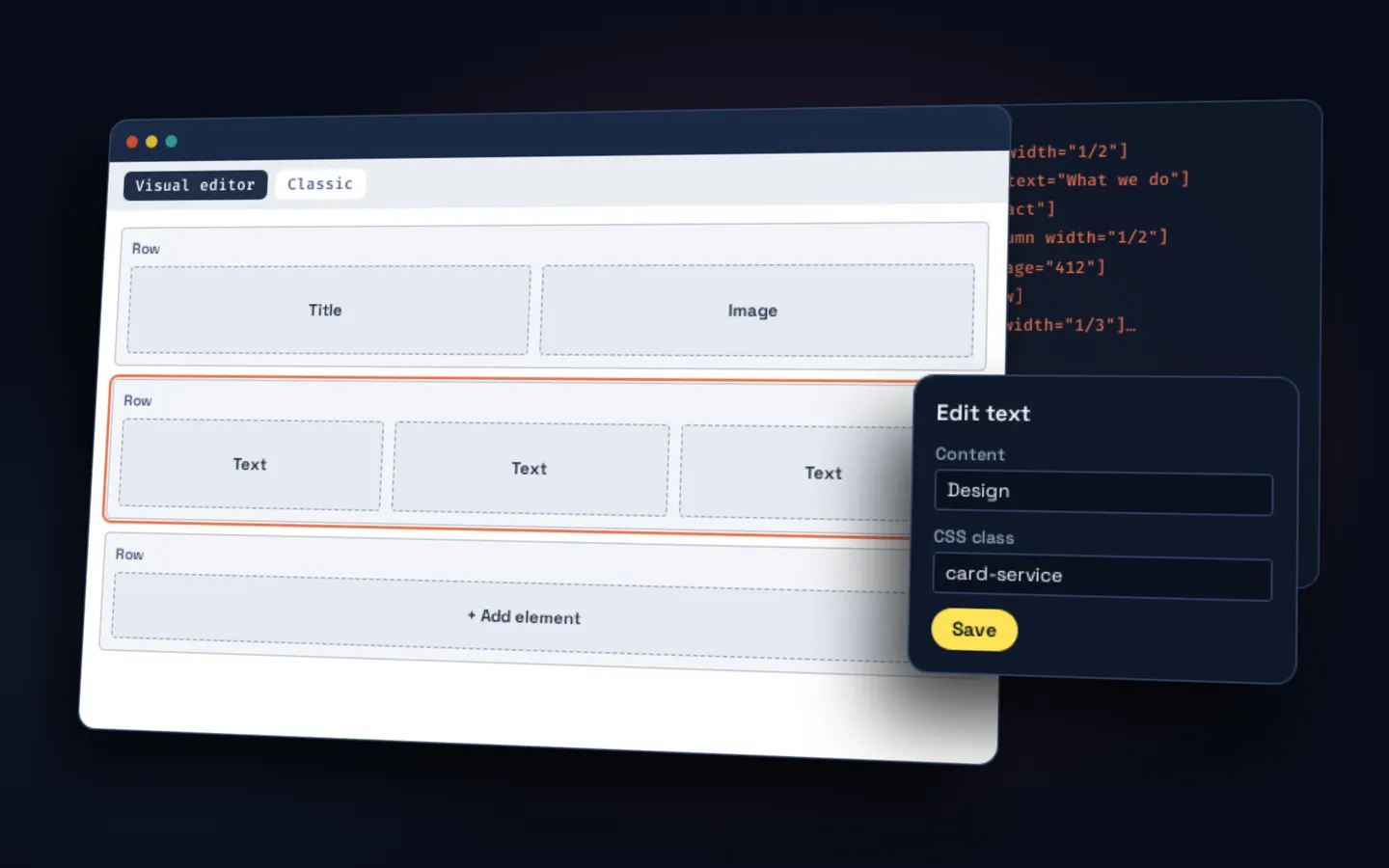
Visual Composer, Divi, and Enfold promised what everybody wanted: building a page with visual boxes. Rows, columns, elements. Finally, almost anything without touching code.
The catch was underneath: much of what they saved was still shortcodes, so your content stayed tied to the builder. If you wanted out one day, you’d find a [vc_row] where there used to be text.
Years later, Divi itself admitted it, in its own way. The Divi 5 (opens in a new tab) page has a heading that says “No more shortcodes.” Even today, every so often, we get an export with builder code that has to be cleaned up by hand.
The second wave: drag and drop
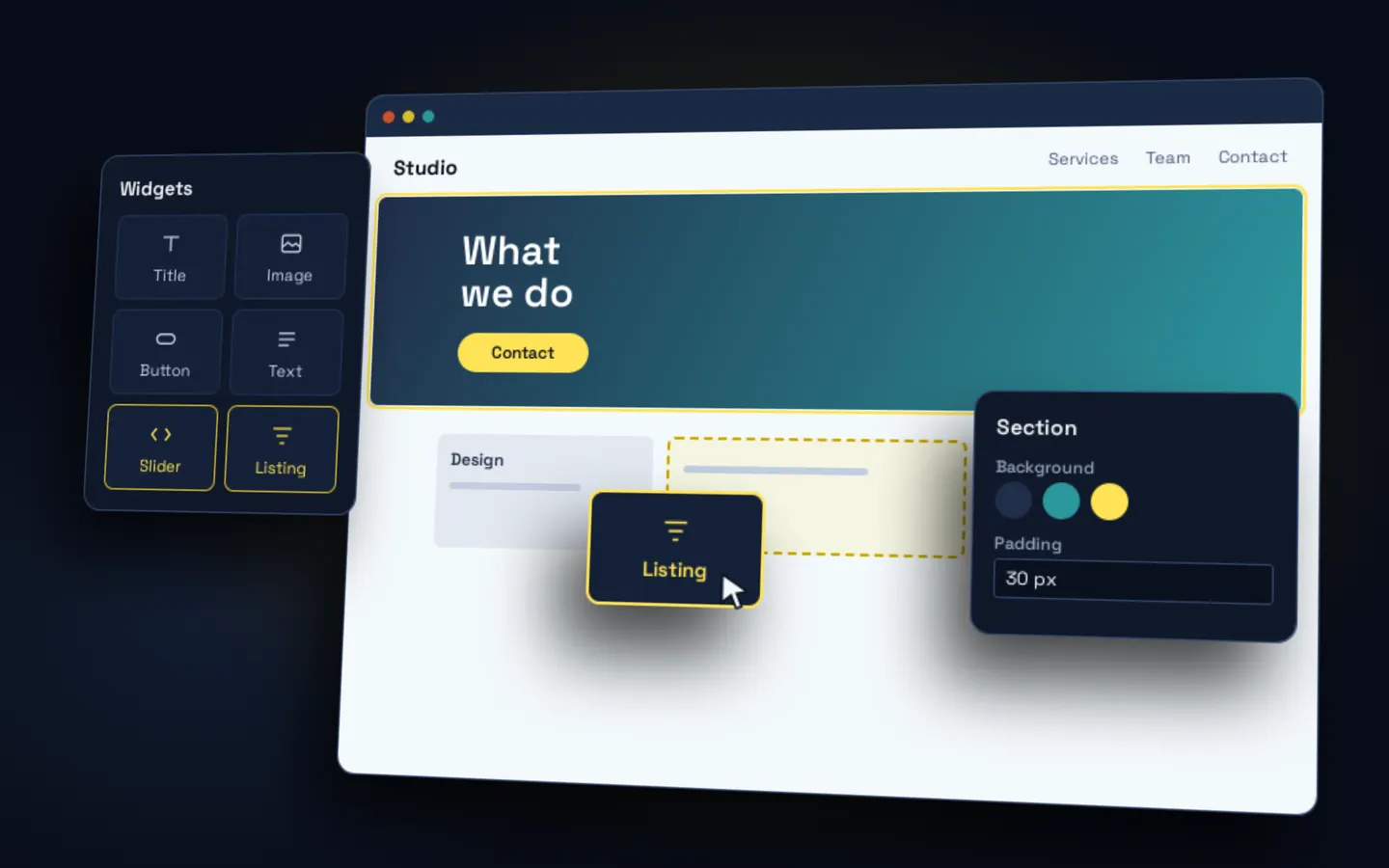
Beaver Builder, in 2014 (opens in a new tab), and Elementor, in 2016 (opens in a new tab), took editing to the page itself. Then came Bricks. You grab the three cards, drop them where they go, and what you see is what you get.
We tried several. Back around 2020 I put it in writing on our Slack: “of all the builders I’ve used, it’s by far the nicest, for devs and editors.” I tried it on a small site and, if it went well, we were going to build a base theme on top. It went well. Elementor got a lot better, it’s extensible for those of us who develop, and clients liked it. So much that they asked for it.
It wasn’t free. There was a deeper argument on the team: wasn’t Gutenberg the better option? Who searches for an “Elementor programmer”? And updates brought their own surprises. In August 2022, a new version broke icons on one of our sites and, on another, someone ended up editing the plugin’s core to get out of a jam. Yes, I know. That’s why, later on, a clean update felt like a launch of its own.
The day WordPress changed its editor
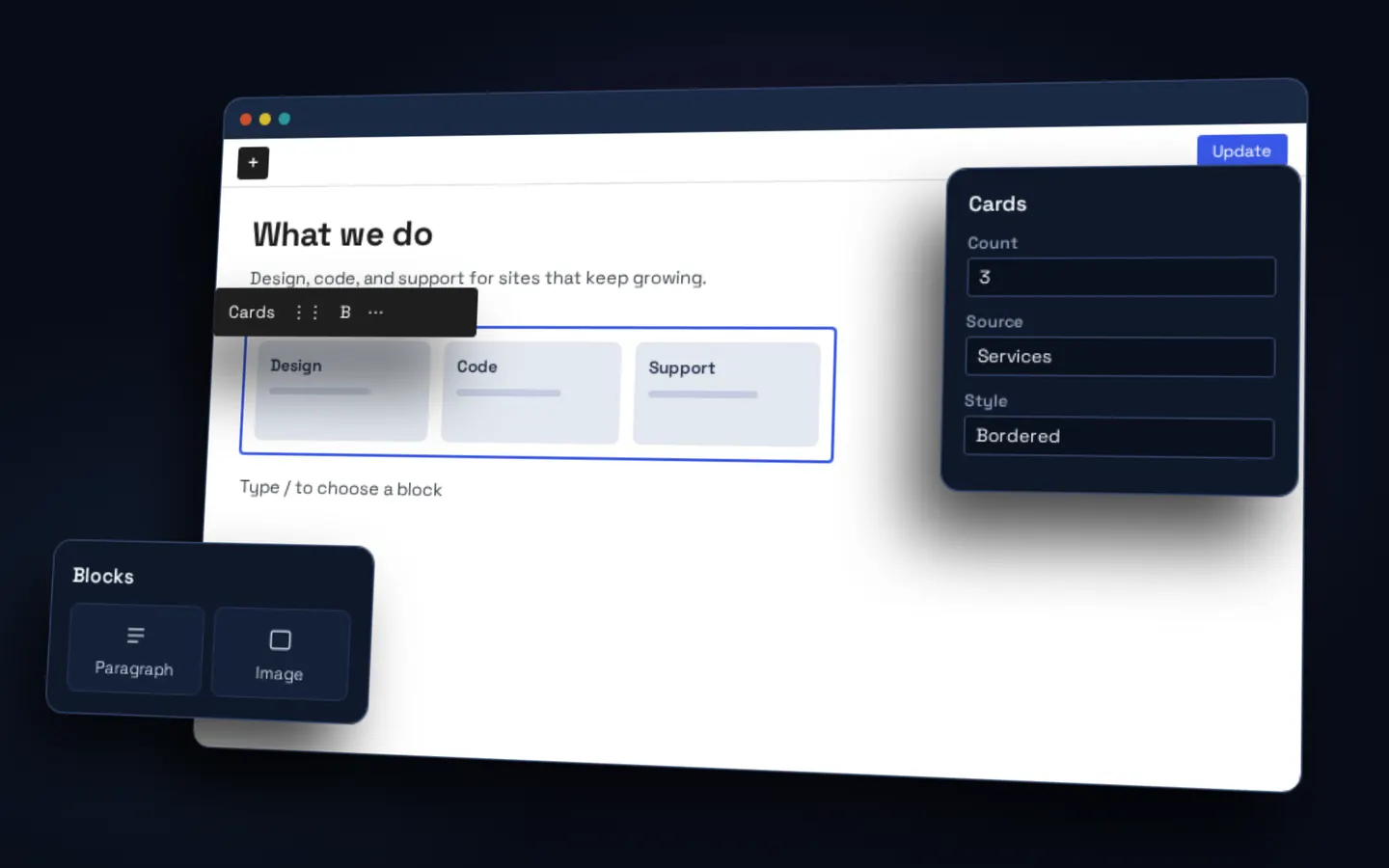
On December 6, 2018 (opens in a new tab), WordPress 5.0 replaced the editor with a block-based one, and introduced it as “the first step toward an exciting new future.” It was the hardest swerve of them all, because you didn’t get to choose: it came with the update.
We weren’t any braver. That same week we were passing each other the link to a plugin to turn it off. Four days later, a client updated on their own, and we had to turn it off to give them back their usual editor, while warning them that wouldn’t last.
You can measure how the ecosystem responded. WordPress had promised to support the classic editor until 2021 (opens in a new tab). The Classic Editor (opens in a new tab) plugin now reports more than 8 million active installs, and support “until 2024, or as long as is necessary.”
That’s the tension running through this whole post: resisting change to what you already know how to do is reasonable, because what you know works and puts food on the table. But if you stay there, you stagnate. With ACF Blocks (opens in a new tab), in 2019 (opens in a new tab), adding custom blocks became possible with what we already knew, PHP. The three cards turned into a block, edited right where you see it.
And since nothing is final, we also went the other way. When moving pages from Gutenberg to Elementor with a client, the custom blocks turned into shortcodes. The “old” technology was the cheapest way out.
The whole site, editable
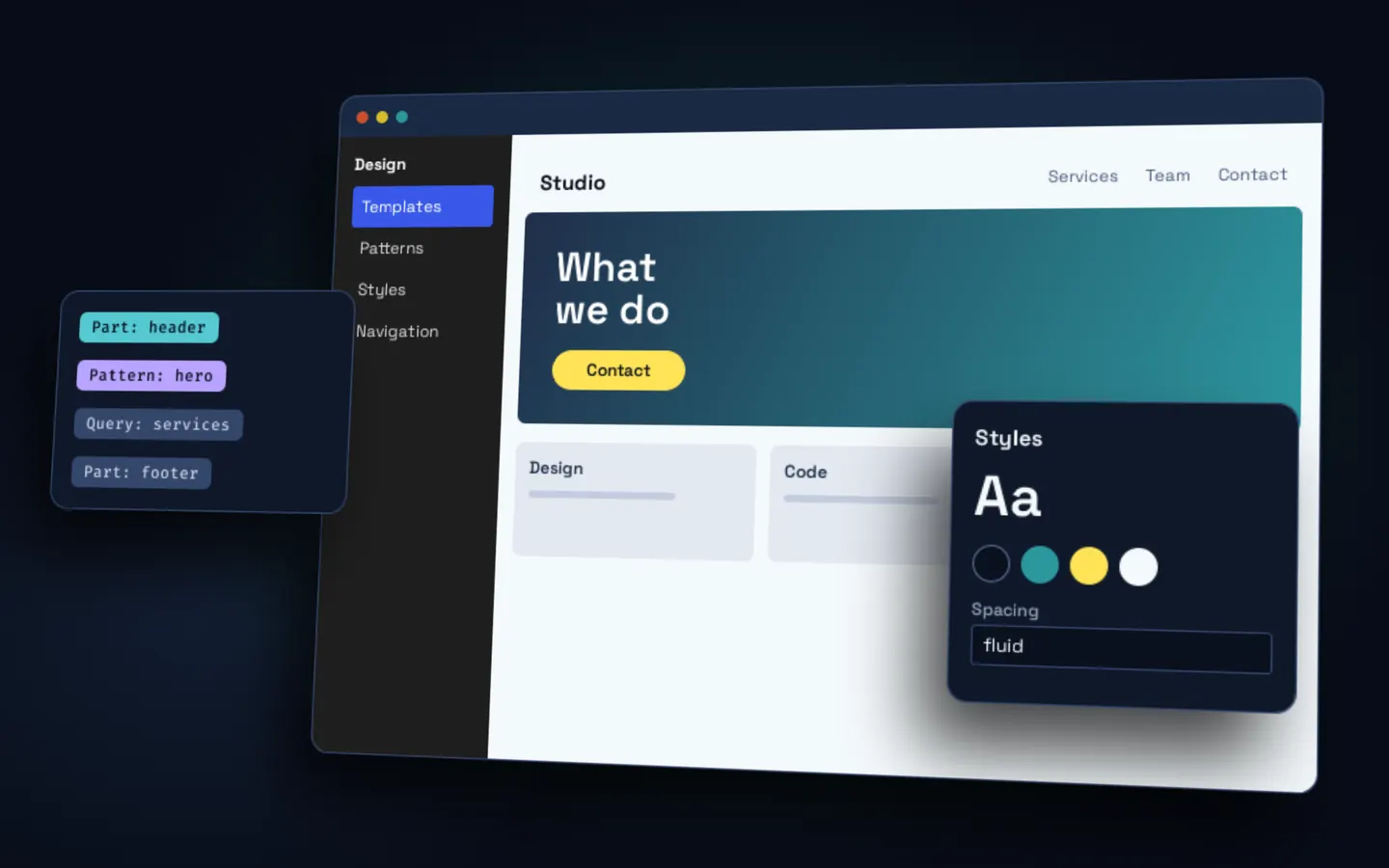
In January 2022 (opens in a new tab), WordPress announced “Full site editing is here.” The same idea extended to the header, footer, templates, and styles. Design moved into a system of tokens.
For us, that branch is still open: a valid workflow that’s easy to maintain, and WordPress’s official direction. At Tufts we built a block theme for new sites in their network, while the existing ones keep running.
Meanwhile, underneath
In 2018 we were still pushing to master. Not on every project, but on enough of them that a saying went around the team: “let whoever is free of pushing to master cast the first stone.”
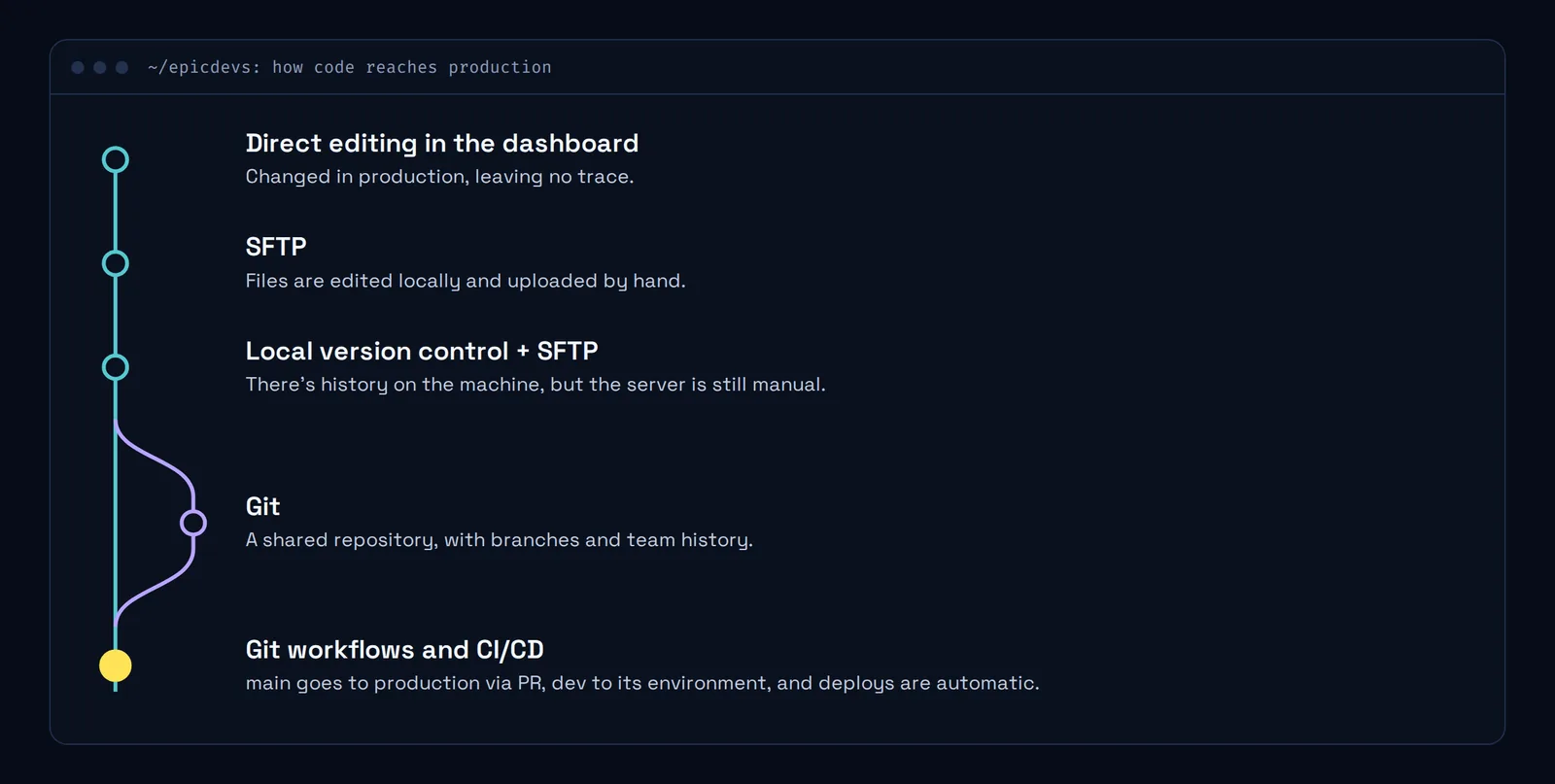
No client ever saw this change, and it’s one of the ones that matter most. First you edited directly in the dashboard, in production, leaving no trace. Then over SFTP: files on your machine that you uploaded by hand. Later came local version control, with the server still manual. With Git, the history started belonging to the team. Today, with Git workflows and CI/CD, main goes to production via PR and deploys are automatic. We even built a GitHub Action (opens in a new tab) for it.
This is also part of the answer to the question at the start. Nobody buys a deploy workflow, but you really notice the day it’s missing.
I also have to admit that more than one of us had a terrible time getting that way of working out of our heads. We’ve had long internal sessions trying to figure out who edited what, why there were 4 unmerged branches, and countless changes in prod that weren’t in the repo. What seems quick and easy in the short term eventually brings you “merge conflicts” and headaches.
Rebuild everything: the easy answer
Every swerve has a commercial side. A new technology comes out, and someone’s going to tell you your site is no good anymore and has to be rebuilt.
It happened close to home. In 2024, someone came to us for a second opinion: another agency had told them their builder was no good and everything had to be rebuilt. The awkward part is that agreeing suited us too, because rebuilding means more billable work.
We looked into it, and the agency had a point: the site was a mess. Years of different developers, with styles and paradigms stacked on top of each other: Laravel templates, WordPress templates, shortcodes, ACF fields, and Elementor as the builder. A mix worth mentioning. But that person had neither the budget nor the time to rebuild it, so we found a middle ground to edit what they needed in the short term, with a warning: sooner or later, they’d have to rebuild it.
Recommending a rebuild by reflex was never our philosophy. What’s best for each client is usually something else, and often you only see it once you really look:
- Rebuild without stopping. Harver had an inherited site and deadlines that didn’t allow for starting from scratch. We optimized it and rebuilt it in batches.
- Test before passing sentence. We once got a site on a discontinued theme, whose official page had already turned into a casino site. Before condemning it, we proposed testing the updates in a separate environment. I remember lines like: “if it goes well, it lasts a little longer. If not, new site or death.”
- Choose what to modernize. At Tufts, the audit recommended modernizing the whole network. Another path was chosen, and it worked too, just at a different scale.
And sometimes there’s no other way, and you have to say so. At Naropa, the site was recent but had performance and usability problems, even in the dashboard. We audited it, proposed moving to Elementor, and rebuilt it completely in about four months. The problem is when rebuilding is always the first answer.
Act 3: you ask your friendly LLM
In December 2025, WordPress 6.9 (opens in a new tab) brought the Abilities API, a standard way of opening the door to AI. The MCP adapter (opens in a new tab) connects it to agents. Even Elementor (opens in a new tab) has already announced its own MCP, though in my opinion it’s running at half speed.
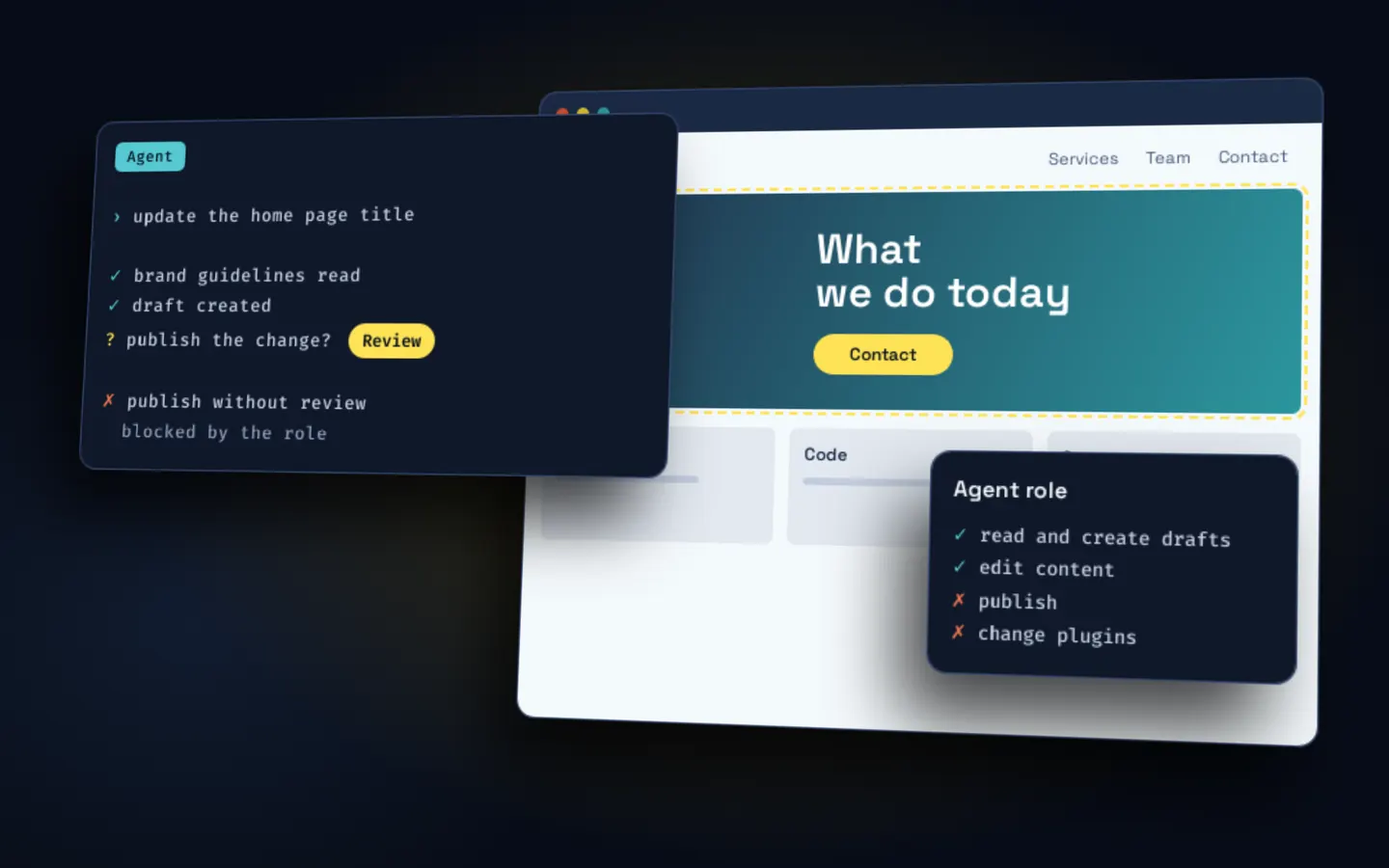
The request from the start now gets typed as is: “change the title and add three cards.” We’re working on letting a client’s team do this with clear roles and guidelines, and with a person who reviews before publishing.
I’m living it firsthand too. I built this very site with agents, putting two models on opposite sides: one builds and the other reviews. They’re fast, and sometimes they correct me. They also get things wrong with admirable confidence. The challenge now is catching those errors in time: knowing where to look.
So, why a developer?
The line between a professional developer and an amateur one is blurring, and that’s inevitable. I think it’s great, and I think it’s dangerous, for the same reason Uncle Ben gave: “with great power comes great responsibility.”
The same thing that lets you create 3 cards lets you break the whole site. Without clear guidance behind it, you can generate a lot of inconsistent garbage, very fast.
If 20 years of swerves taught me anything, it’s that tools change faster than problems. I’ve already watched several final solutions die. Even PHP has spent more years dying than it’s been alive. What stays the same: what breaks, why, what not to touch on a Friday, and when rebuilding isn’t the answer.
When the tool is enough
Changing a title, deleting two pages, or editing metadata no longer takes a developer. More complex tasks do: that’s where what a developer learned over all these years still counts. In practice, I sort it into three groups.
Enough, if someone checks the result:
- Content. Changing text and images, deleting a couple of pages, or reviewing what’s gone stale.
- Landing pages. Building a new one with patterns the site already has. You need good instructions and guidelines: without them, you redo everything over and over.
- Bulk metadata. Better yet: extract it to a spreadsheet, edit it, review it, and import it back.
- First drafts. Of a page, a component, or a prototype to show an idea.
Useful, but with someone at the wheel, not on autopilot:
- Diagnosing. Finding out why a site is slow, instead of adding another patch on top.
- Auditing. Finding negative patterns and problems. Deciding whether a rebuild makes sense is still better work for a person.
Not enough yet, or not on its own:
- Migrating without losing anything. Keeping URLs, redirects, and data, with a way back, like at Harver or Tempo. This still takes an orderly workflow.
- Integrating with other systems. More and more pieces connect in one place: HubSpot forms, UTM parameters, analytics, payment gateways. The problem is what happens if the other side fails or changes.
- Recurring imports, like the Skillsoft catalogs. There are cases where a repetitive, consistent process beats generative AI, where doing the same thing twice doesn’t guarantee the same result.
- Permissions and paid content. A mistake here doesn’t show on screen, but someone gets access to what they shouldn’t. And there’s no worse error than a silent one.
- Site networks. In a network like the one at Tufts, a change that works on one site can break another. You need automated checks that find the odd cases in time.
- Incidents. When something goes down on a Friday, first you have to understand what happened, and only then touch anything. And a 1M token context isn’t always enough for a site with thousands of pages and years of history.
How hard a task looks matters less than how much a mistake costs and whether you’ll notice in time. A wrong title gets seen and fixed in a minute. A wrong redirect can take weeks to notice, and Google doesn’t forgive.
There’s no one ring
Getting my nerd out: there’s no one ring to rule them all either. There are many ways to reach a goal. So my focus today isn’t on picking the winning tool, but on bringing each client the one they need to do their work faster and more efficiently, and to do it well. With their intent, their voice, and their aesthetic. Using the LLM as one more tool, a powerful one, but nothing more.